
Redesign & Recreate from Explore to AI Studio
Discover how Feel Design’s Explor and AI Studio make it effortless to redesign and recreate any concept you find. Learn how to generate similar images or apply styles to your own space in just a few clicks.
At Feel Design, we believe inspiration should lead directly to creation. That’s why our Explor page seamlessly connects to the AI Studio, letting you take any mood, concept, design, style, or color you find and turn it into something uniquely yours. Whether you want to discover similar visuals or apply a style to your own space, this process is quick, intuitive, and designed for anyone to use.
How to Redesign and Recreate from Explore
Search and Select:
Start by searching the Explor page for the mood, concept, design, style, or color that speaks to you. Once you find a look you love, simply click on it to move forward.
Generate Similar Image or Apply the Style:
After selecting an image, you’ll see two powerful options:
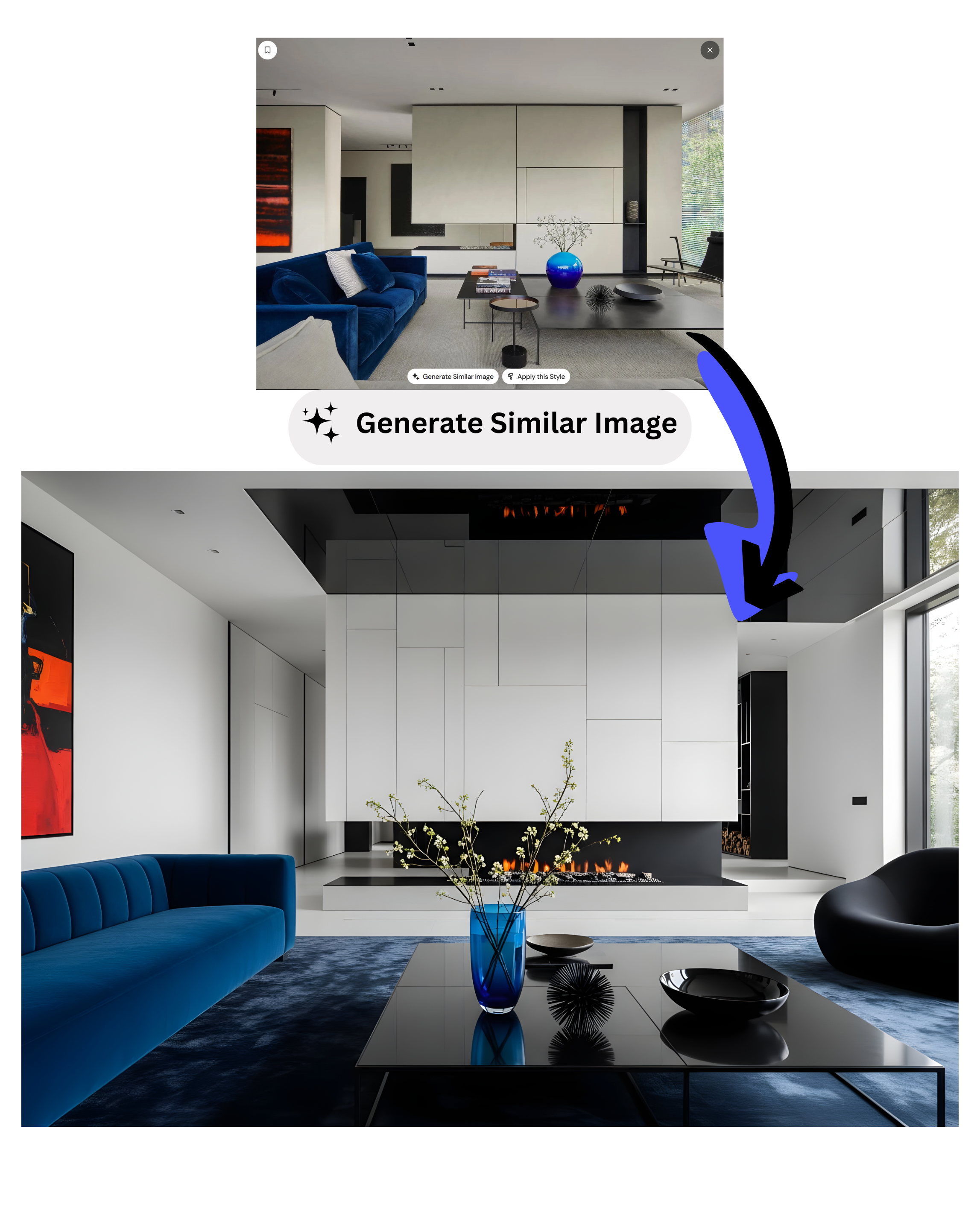
Generate Similar Image:
Clicking this option triggers Feel Design AI to analyze the original design and create a new, unique piece inspired by your choice. The AI captures the essence of the reference style to produce fresh content, then sends you directly to the AI Studio where you can tweak your new creation.
Apply This Style:
If you’d like to overlay the chosen style onto an existing space, select “Apply This Style.” Upload a photo of your room or environment, and the AI Studio will prepare the design aesthetic you chose. Click “Generate,” and the style from Explor will instantly be applied to your uploaded space.
.png)
Fine‑Tune Your Design:
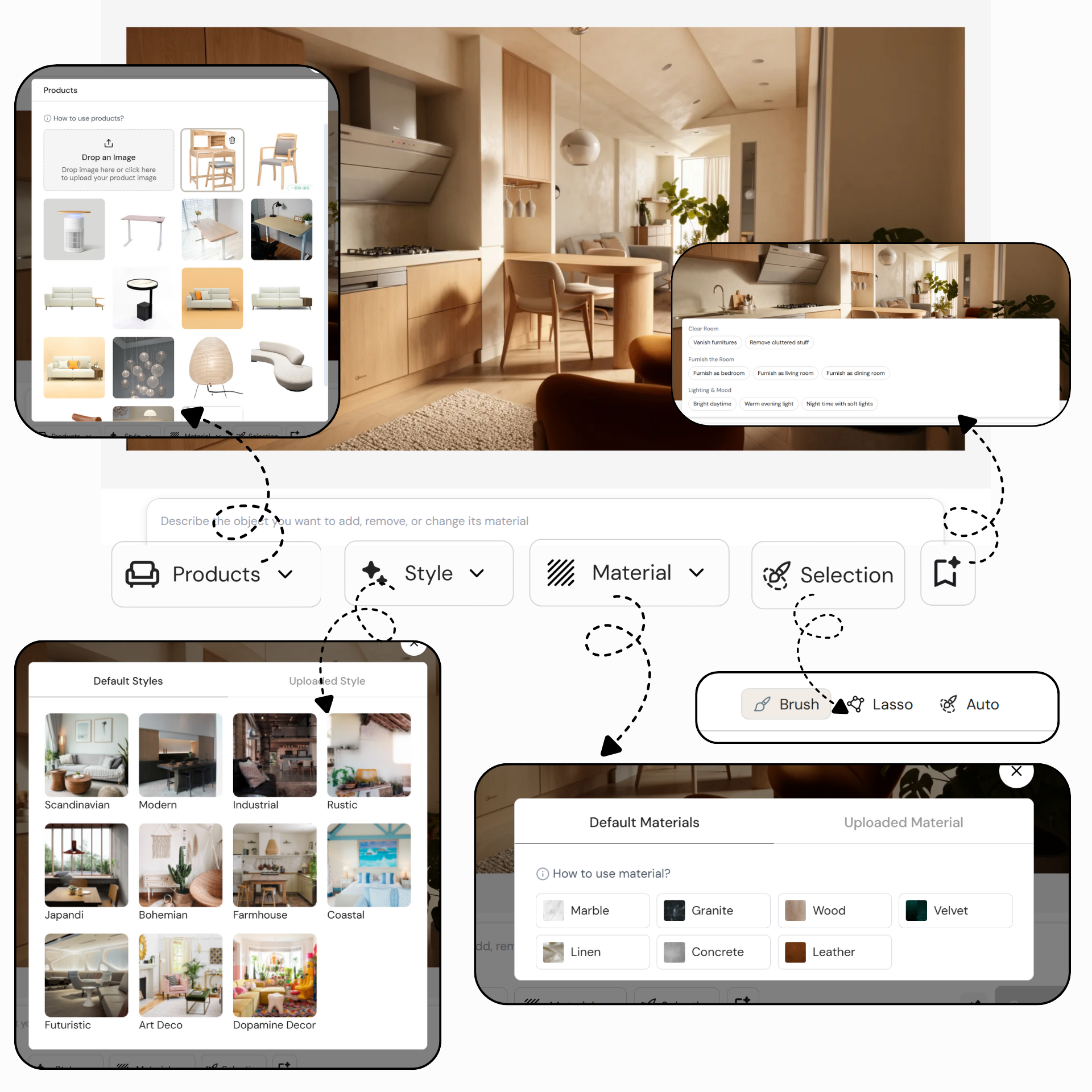
After the AI applies the style or generates a similar image, you’re free to continue editing in the AI Studio. Adjust objects, swap materials, and refine details until everything matches your vision.
Conclusion
With Feel Design’s integrated Explor and AI Studio experience, your creative process becomes effortless and rewarding. In just a few clicks, you can go from browsing inspiration to generating custom designs or applying styles to your own space. Try it today and see how easy it is to bring your ideas to life—fast, fun, and entirely personalized.
Feel free to explore, experiment, and let your creativity flourish. We can’t wait to see what you create!
F.A.Q.
What is the Explore to AI Studio feature in Feel Design?
The Explore to AI Studio feature in Feel Design allows users to take inspiration directly from the Explore page and transform it into personalized designs. You can discover moods, styles, and concepts, then recreate or restyle them instantly using AI Studio’s editing tools.
How do I redesign or recreate from the Explore page?
To redesign or recreate from the Explore page, search for a concept, style, or color that inspires you. Once you find a design you love, click on it to access two options — Generate Similar Image or Apply This Style. Either choice takes you into AI Studio where you can continue customizing your design.
What does ‘Generate Similar Image’ mean?
When you select 'Generate Similar Image,' Feel Design’s AI analyzes your chosen reference and creates a new, unique image inspired by it. This lets you explore variations of your favorite style while maintaining its core aesthetic. You can then fine-tune the result in AI Studio.
How does ‘Apply This Style’ work?
‘Apply This Style’ allows you to upload a photo of your own room or space and apply the design style you selected from Explore. The AI Studio then recreates your environment with the same aesthetic — including colors, materials, and mood — so you can visualize your space instantly.
Can I continue editing after using the Explore to AI Studio feature?
Yes. Once your image is generated or your style applied, you can continue editing within AI Studio. Use tools to adjust objects, swap materials, refine lighting, or add new elements until your design matches your exact vision.
Why use Explore with AI Studio together?
Combining Explore with AI Studio gives you a seamless workflow — you can browse thousands of design inspirations, then immediately bring them to life. It’s fast, fun, and perfect for both beginners and professionals looking to turn creative ideas into realistic, personalized interiors.